
Bilibili Chinese Version APK China App Guide 2026
Download the Chinese version of Bilibili. Registration guide and differences from the global app.
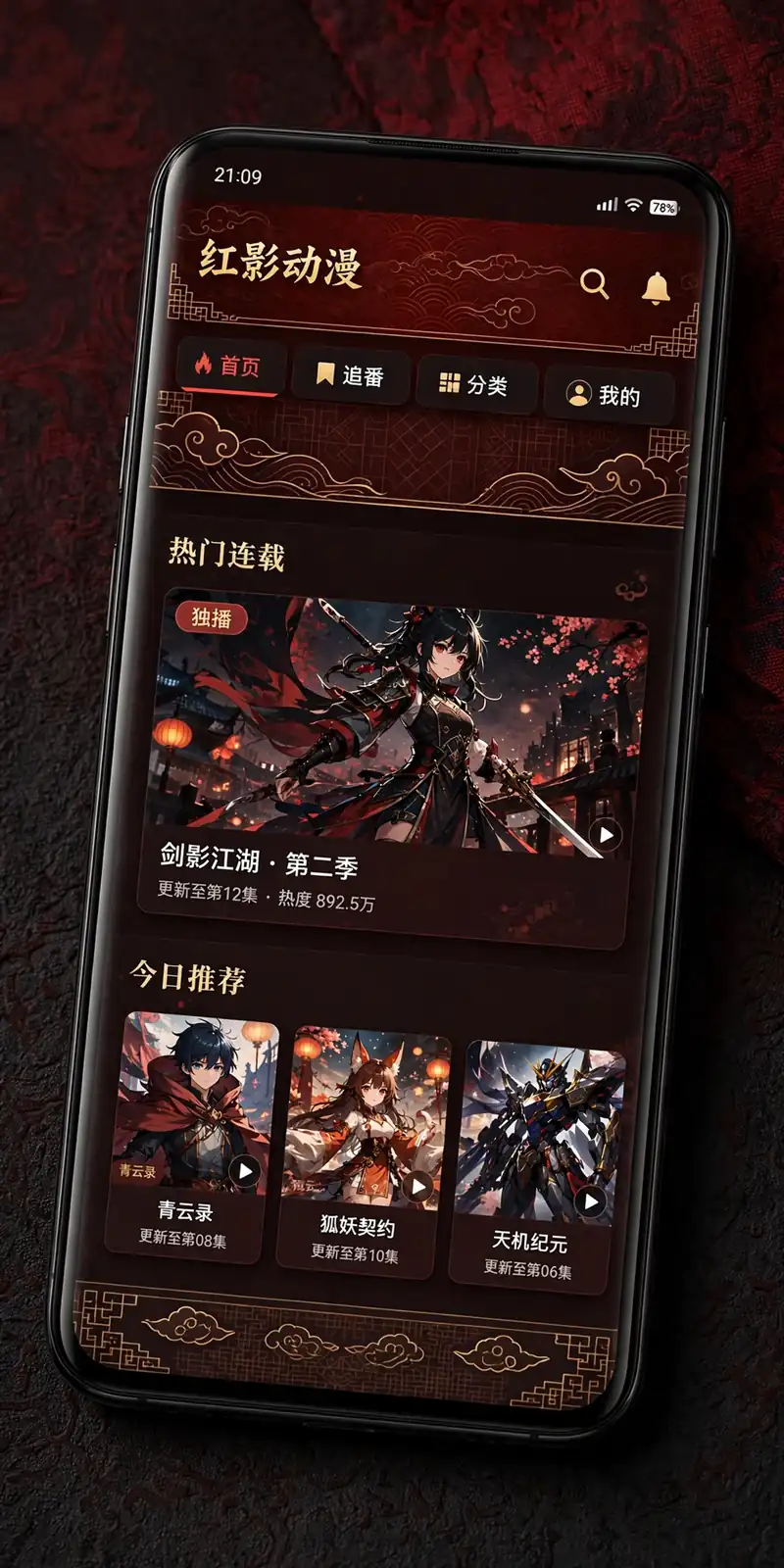
The bilibili chinese version apk is the original mainland-China release of the Bilibili app, published under the package name tv.danmaku.bili. It has the largest content library of any Bilibili build and receives new features before the international versions — but the interface is almost entirely in Chinese, registration usually requires a Chinese phone number, and payments run through Alipay and WeChat Pay. This page explains exactly what the Chinese version is, how it differs from the Global and SEA builds, and who should actually install it.
What “Chinese Version APK” Actually Means
Bilibili ships more than one Android app. The builds look similar on the surface but differ in package name, catalogue, language, and account systems:
- tv.danmaku.bili — the Chinese domestic build, the original app released for mainland China.
- com.bilibili.app.in — the Global build, released internationally with an English-friendly interface.
- com.bstar.intl — the SEA/HD build, aimed at Southeast Asia and labelled for tablets and HD devices.
The package name itself tells you something: “danmaku” (弹幕) is the word for the scrolling bullet comments that fly across the screen during videos — Bilibili’s signature feature. If a download page calls the file “bilibili (CN)”, “bilibili Chinese”, or “bilibili 哔哩哔哩”, it’s almost certainly this tv.danmaku.bili build. Our old versions guide page tracks how releases differ across all three builds.
What’s Inside: Content You Only Get Here
The single biggest reason anyone installs the Chinese version is the catalogue. Titles that never get international releases — domestic donghua, Chinese variety shows, licensed anime with China-only rights, and creator uploads geo-restricted to the mainland — are all browsable in this build. Donghua fans in particular will find a dedicated animation section with domestic hits like Heaven Official’s Blessing and The Three-Body Problem adaptation, plus Korean variety shows and Japanese dramas that the Global app doesn’t carry.
Live streaming is another area where the domestic build leads. Bilibili is a major esports streaming platform in China, and the Chinese app hosts event rooms with 4K viewing options, alternate commentary tracks, and interactive polls during big tournaments. These rooms sometimes never appear in the international builds.
Beyond video, the Chinese app includes audio shows and podcasts, written creator columns, photo albums, and interest-based circles — a full social layer that the Global version trims down. If you want the complete Bilibili ecosystem rather than just a video player, this is the only build that has it.
Danmu and the Community
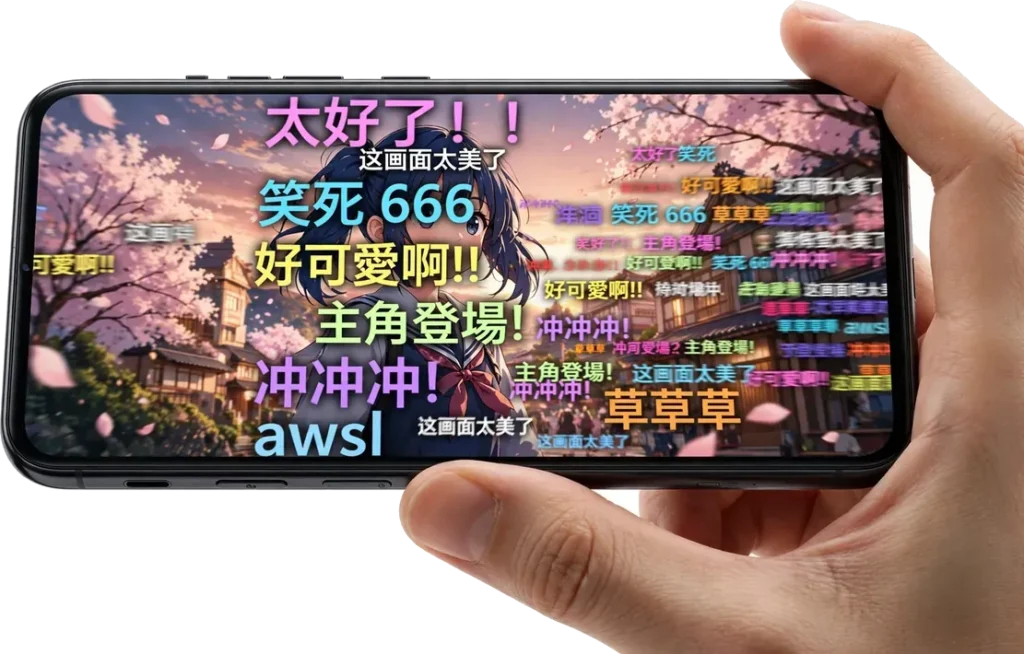
Danmu — the real-time bullet comments — are the heart of the Chinese app. Viewers’ reactions slide across the screen as scenes unfold, turning episodes, game clips, and concerts into shared viewing events. You can fire your own comments, coordinate reactions with friends at key moments, and follow UP creators (Bilibili’s term for uploaders) whose posts, columns, and live streams feed a genuinely active fan community.
One honest caveat: the danmu, comments, memes, and in-jokes are in Chinese, written in contemporary internet slang. For learners of the language, it’s an immersion goldmine. For everyone else, it’s scenery rather than conversation — you can watch the reactions scroll by without understanding a word of them.
Community Features Deep-Dive: Columns, Circles, and Live Rooms
The Chinese app is a social platform that happens to play video, not just a video player. Columns are long-form written posts by UP creators — episode analyses, industry news, essays — that read like a built-in magazine. Circles are interest-based groups where users post and discuss around a shared topic; joining one usually requires an account. Live rooms go far beyond esports: gaming streams, music performances, and casual chat streams with interactive polls, and virtual gifts that viewers send to streamers.
Following creators ties it together: follow a UP and their uploads, columns, and live schedules feed into your personal timeline, so the app starts to feel curated around your interests rather than algorithmic noise.
What You Can Do Without an Account
Even without registering, you can browse and watch most free videos, read public columns, and view danmu as it flies by. What stays locked: posting danmu, joining circles, following creators, gifting in live rooms, and syncing anything across devices. The app is genuinely usable as a guest — it’s just a quieter experience.
Danmu Culture Explained: Etiquette and Slang Categories
Danmu in the Chinese app is a culture with its own norms, not just a comment box. The comments tend to fall into recognizable patterns: scene reactions — short bursts of exclamations at dramatic or funny moments; meme barrages — dozens of viewers repeating the same joke tied to what’s on screen; coordinated moments — everyone firing a comment at the same timestamp, like a digital crowd chant; and live Q&A — viewers answering each other’s questions right in the comment stream.
The etiquette matters more than the slang. Don’t post spoilers for upcoming plot points — it’s the fastest way to get muted or reported. Keep comments readable instead of flooding the screen, and respect each live room’s pinned rules. Moderators in popular rooms enforce these norms actively.
If you can’t read any of it, you’re not missing the whole point: the density of danmu tells you where the hype moments are, and many international viewers keep danmu on at low opacity purely for the atmosphere — a visual signal of which scenes the community loves.
The Chinese-Only Interface
The Chinese version has no official English language toggle. Menus, settings, search filters, error messages, payment screens, and community tools are all in Chinese. This is the wall most international users hit, and no settings trick removes it.
If you install it anyway, a few practical workarounds help:
- Navigate by icon position, not text. The home, search, upload, inbox, and profile tabs sit in fixed positions, so muscle memory takes over quickly.
- Use camera translation (like Google Lens) on settings screens when you need to change something specific.
- Search in Chinese or pinyin. English search terms return poor results in this build — copy the Chinese title of the show you want.
If you can’t read Chinese at all, the Global build (com.bilibili.app.in) is almost certainly the better choice. It delivers the core Bilibili experience — anime, gaming, creator content — in English, with none of the friction.
Navigating the App Without Reading Chinese: A Practical Mini-Guide
The interface may be Chinese-only, but app layouts follow conventions you already know. The bottom tab bar typically holds Home/feed, Search (magnifier icon), a central upload or create button, Messages/inbox (bell or envelope icon), and Profile (your avatar). Tab order can shift with updates, so navigate by icon shape and position rather than memorizing labels.
Search Tips That Actually Work
- Copy-paste Chinese titles. Find the show on the web or in the Global app, copy its Chinese title, and paste it into the Chinese app’s search bar. English queries return poor results here.
- Use pinyin input if your keyboard supports it — typing the romanized pronunciation often surfaces the right title.
- Search by UP creator name once you know a few creators you like; creator pages are easier to navigate than the general search.
Camera Translation for Settings Screens
For settings, payment, or account screens, point a camera-translation app (like Google Lens) at your screen — translating a screenshot rather than the live screen gives steadier, more accurate results. The core playback controls (play, fullscreen, quality, danmu toggle) use universal icons, so daily watching rarely needs translation at all.
Registration and Accounts: The Real Barrier
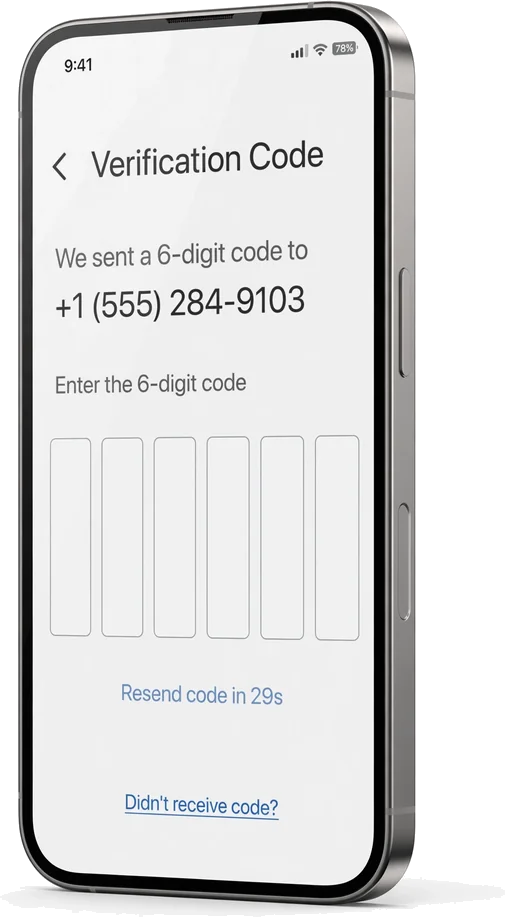
This is where the Chinese version trips up most international users. Bilibili’s mainland sign-up flow is built around Chinese phone numbers: SMS verification to a mainland number is the standard registration path, and foreign numbers are frequently rejected outright.
A few things worth knowing before you try:
- Existing Global accounts may not carry over. Account systems between regions aren’t fully interchangeable, so don’t assume your Global login will work in the Chinese app — check before depending on it.
- Some features assume a mainland identity, including certain creator tools, monetisation options, and age-verification flows.
- If you don’t have a Chinese number, you may be limited to browsing without an account — which means no danmu posting, no follows, no watch-history sync, and no offline cache tied to a profile.
If account friction is your concern rather than catalogue size, the homepage download guide for the Global build is the shorter path.
Step-by-Step: Creating an Account in the Chinese App
Registration follows a familiar flow — the friction is in the phone-number step, not the screens themselves:
- Open the app and tap the profile/avatar icon, then choose the register or sign-in option.
- Enter your phone number, selecting the correct country code first. Mainland numbers (+86) are the standard, expected path.
- Complete SMS verification. Enter the code sent to your phone. Codes can be delayed — wait a minute or two before requesting a resend.
- Set a password and nickname to finish creating the profile.
If your foreign number is rejected: this is common, not a bug on your end. You can retry later, or check whether the Global app’s registration accepts your number instead — many international users keep a Global account for daily use and browse the Chinese app as a guest. Never buy “verification numbers” from third-party sellers: accounts created that way can be reclaimed by the original number holder, and handing payment details to a stranger for an SMS code is asking for trouble.
Payments Run Through Chinese Systems
Membership and premium purchases in the Chinese app go through Alipay and WeChat Pay. International credit cards and payment methods generally don’t work on this build’s storefront, which means paid content — membership tiers, single-episode unlocks, TV-exclusive content — may be visible but unpurchasable for users outside China.
All prices and benefits are shown in-app before you pay, so nothing is hidden — but if you can’t complete a Chinese payment flow, treat the Chinese version as a free-tier-only app.
Membership in the Chinese App: Tiers and the Free Tier
The free tier covers most of what casual viewers need: the full browsable catalogue, danmu viewing, and standard quality options. Some licensed titles carry pre-roll ads depending on the title and your membership status.
Membership (tiers, names, and prices change over time, so check in-app) generally removes ads, unlocks higher resolutions, and grants early access to certain episodes or exclusive content. The catch for outsiders is the checkout, not the price: without Alipay or WeChat Pay, membership is visible but unpurchasable.
One warning: never buy “Bilibili membership” from third-party sellers or top-up sites. Top up only inside the app itself — outside sellers deal in stolen or shared accounts that can vanish without notice.
Version Numbers Don’t Match the Global Builds
The Chinese build follows its own release schedule. For reference, recent international builds include v3.83.0 (Sept 29, 2026, 82.11 MB, Android 7.0+) and v3.82.0 (June 15, 2026, 79.74 MB), with older lines like v3.81.2, v3.81.1, and v3.80.0 — check APKMirror for details on those.
The Chinese version’s version numbers and dates won’t line up with these. New features land in tv.danmaku.bili first and may take weeks or months to appear in the Global or SEA builds, if they appear at all. Don’t try to match version numbers across regions — they’re effectively separate products with separate numbering.
Staying Updated: Updating a Sideloaded tv.danmaku.bili Build
A sideloaded Chinese build won’t update itself — check the same archive listing periodically for a newer release. The process:
- Open the tv.danmaku.bili listing on the archive you originally used (for example, APKMirror’s bilibili CN entry).
- Confirm the package name reads tv.danmaku.bili before downloading — similarly named files are a common malware vector.
- Download the newer APK and open it. Installing over the existing app upgrades it in place, preserving your login and data — but only if the file is signed by the same developer key. If Android refuses the install, that’s a signature mismatch: don’t force it.
- After updating, open the app and confirm it launches and you’re still signed in.
The fallback — uninstalling first, then installing the new build — wipes local data such as offline downloads, so treat it as a last resort. For the general verification checklist, see our safety guide.
Chinese vs Global vs SEA: Full Comparison
| Chinese (tv.danmaku.bili) | Global (com.bilibili.app.in) | SEA (com.bstar.intl) | |
|---|---|---|---|
| Interface language | Almost entirely Chinese, no English toggle | English-friendly | English-friendly |
| Content library | Largest; domestic exclusives, donghua, variety | International catalogue | SEA-focused catalogue |
| Live streams & esports | Full rooms, 4K events, polls | Reduced selection | Reduced selection |
| Registration | Usually needs Chinese phone number | Email / international numbers | Email / international numbers |
| Payments | Alipay, WeChat Pay | International methods | Regional methods |
| Community features | Full: danmu, columns, circles, podcasts | Trimmed down | Trimmed down |
| Update cadence | First, on its own schedule | Follows later | Follows later |
| Best for | Chinese readers, donghua fans | Most international users | SEA users, HD/tablet devices |
The SEA build (com.bstar.intl, currently v3.83.0) doubles as the HD/tablet-labelled build, making it the natural pick for large screens — our Android TV guide guide covers TV installation. iPhone users should check iOS guide instead.
Which Build for Which Person: 6 Reader Personas
Still unsure? Match yourself to a persona:
| Persona | Recommended Build | Why |
|---|---|---|
| Donghua fan chasing domestic exclusives | Chinese | Only build with the full donghua catalogue and domestic releases |
| Anime-only viewer wanting English simulcasts | Global | English interface with the international anime catalogue |
| Chinese learner seeking immersion | Chinese | Danmu, columns, and comments in contemporary internet Chinese |
| Casual international viewer | Global | Zero friction — English UI, international registration and payments |
| Esports and live-stream enthusiast | Chinese | Full event rooms, 4K streams, and interactive polls — if you can navigate and register |
| Tablet or big-screen user in Southeast Asia | SEA | HD labelling suits large screens; regionally tuned catalogue |
Who Should Install Which Build
Install the Chinese version if:
- You read Chinese (or are learning and want full immersion).
- You’re a donghua fan chasing titles that never released internationally.
- You have a Chinese phone number for registration and verification.
- You want new Bilibili features before they reach the international builds.
Stick with the Global build if:
- You need an English interface.
- You register with a non-Chinese phone number or email.
- You pay with international payment methods.
- You want anime, gaming, and creator content without friction.
Pick the SEA build if:
- You’re in Southeast Asia and want the regionally tuned catalogue.
- You’re installing on a tablet or Android TV box — the HD labelling suits large screens.
If your main worry is safety rather than which region to pick, read safety guide before downloading anything.
Coexistence: Running Chinese and Global Side by Side
Because the builds use different package names (tv.danmaku.bili vs com.bilibili.app.in), Android treats them as separate apps — you can install both with no conflict and switch between them freely. A few practical notes:
- Storage adds up. Two full apps plus their caches and any offline downloads can consume significant space — clear each app’s cache periodically from Settings > Apps.
- Notifications double up. Both apps may send push notifications; manage them per-app in Android’s notification settings if it gets noisy.
- Accounts stay separate. Don’t assume one login works in both builds, and don’t rely on watch-history sync between them until you’ve confirmed your login works in each.
Installation Notes
Sideloading the Chinese version works like any Bilibili APK:
- Download the tv.danmaku.bili APK from a source you trust.
- Enable “Install unknown apps” for your browser or file manager (Settings > Apps > Special app access).
- Open the APK and install.
Because this build targets the Chinese market, verify the package name reads tv.danmaku.bili before installing — similarly named files from untrusted sources are a common malware vector. And be honest with yourself about the risk: no third-party APK can be guaranteed completely safe. Scan the file, review the permissions it requests, and keep your expectations realistic.
Conclusion
The bilibili chinese version apk (tv.danmaku.bili) is the original, fullest Bilibili: the biggest library, the liveliest danmu community, esports rooms and creator tools the international builds don’t carry, and new features before anyone else. The price is real friction — a Chinese-only interface, registration that usually demands a Chinese phone number, and payments tied to Alipay and WeChat Pay. If that describes your situation, it’s the best version of Bilibili that exists. For everyone else, the Global build (com.bilibili.app.in) delivers the core experience in English with none of the barriers — and that’s the version most international users should install.
If you do go ahead with the Chinese build, do it with eyes open: verify the package name before installing, register with a number you control, and treat the free tier as the whole product unless you can genuinely pay through Chinese systems. And remember the two builds can live side by side — many international users keep the Global app for daily watching and dip into the Chinese app for the exclusives. Start from the homepage for the full download guide.
Frequently Asked Questions
Why is the package called tv.danmaku.bili?
“Danmaku” (弹幕) means bullet comments — the scrolling on-screen comments that are Bilibili’s signature feature. The package name dates back to the app’s origins as a danmaku video site, and it identifies the original mainland-China build.
Can I switch the Chinese version to English?
No. There is no official English language toggle in the Chinese build. Third-party translation overlays and camera-translate apps can help with menus, but the interface itself stays Chinese.
Do I need a VPN to use the Chinese version outside China?
Not for installing or opening the app, but some content is restricted by IP region even inside the Chinese app. If a title won’t play, region licensing is the likely cause — a VPN may or may not resolve it, and results vary.
Can I run the Chinese and Global apps on the same phone?
Yes. They have different package names (tv.danmaku.bili vs com.bilibili.app.in), so Android treats them as separate apps. They can be installed side by side without conflict.
Is the “bilibili (CN)” file on APKMirror and APKPure the official app?
Those listings mirror the official Chinese release’s APK file — but a mirror is still a third-party source. Always verify the package name is tv.danmaku.bili, scan the file, and treat any sideloaded APK with the same caution you’d give any download outside the Play Store.
Does the Chinese version show ads?
The interface is largely free of banner-style advertising clutter, which is one reason users praise it. Some licensed content still carries pre-roll or in-stream ads depending on the title and your membership status.
Will my watch history sync between the Chinese and Global apps?
Only if you’re signed into the same account on both — and cross-region account compatibility isn’t guaranteed. Don’t rely on sync between builds until you’ve confirmed your login works in each.
Which version gets new features first?
The Chinese build (tv.danmaku.bili) gets them first. Global and SEA builds follow on their own schedules, and some domestic features never make the jump at all.
Can I change the app language with a patch or translation plugin?
There is no official way. “English patch” APKs floating around download sites are modified builds carrying the usual third-party risks — treat them like any other modded file. Camera translation on settings screens is the safer route.
Will my Global membership carry over to the Chinese app?
Usually not. Memberships are tied to the account and the region’s storefront, and the Chinese build bills through Alipay and WeChat Pay. Check the membership status inside the Chinese app before assuming anything carries over.
Is there an official English support channel?
Support for the Chinese build is Chinese-language. International users generally rely on community guides and forums — which is exactly why checking a guide like this one before installing saves headaches later.
Can I download videos offline in the Chinese app?
Offline downloads exist for supported videos, but the feature generally requires being signed in, and availability varies by title and region. Downloads are stored locally on the device and don’t transfer between the Chinese and Global builds.
Does the Chinese app work on Android TV?
It installs — tv.danmaku.bili is a standard Android package — but it’s a phone-layout app, so expect touch-first menus on a television and consider an air mouse. Our Android TV guide covers the sideloading process in detail.
How do I delete my Chinese Bilibili account?
Look for the account cancellation or deactivation option in the app’s account settings — it’s in Chinese, so use camera translation to find it. Cancellation may require verifying the registered phone number, which is another reason to register with a number you actually control.